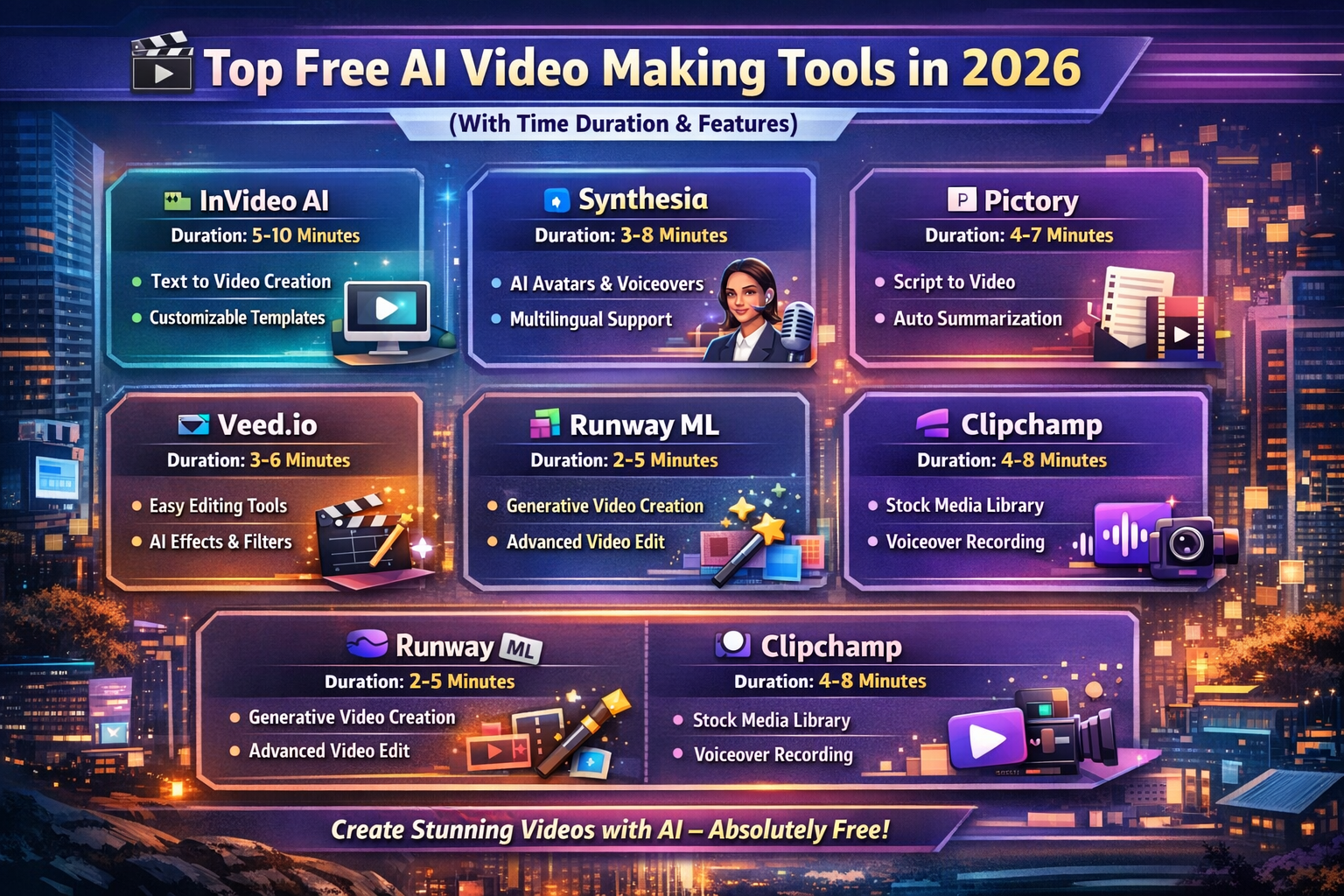
Artificial Intelligence is transforming the world faster than ever before, and one of the biggest revolutions is happening in video creation. Just a few years ago, creating a professional-quality video required expensive software, powerful computers, editing expertise, and many hours of work. Today, AI-powered video generation tools can create stunning videos in just a few minutes — even for complete beginners.
Whether you are a student preparing presentations, a YouTuber building a channel, a marketer promoting products, or a business owner creating advertisements, AI video tools are making content creation faster, cheaper, and easier than ever.
In 2026, AI video generators have become smarter, faster, and more accessible. Many platforms now allow users to:
- Convert text into videos automatically
- Generate AI voiceovers
- Create realistic AI avatars
- Add subtitles instantly
- Edit videos using prompts
- Produce social media reels in minutes
The best part is that many of these tools offer free plans that are good enough for beginners and small creators.
This article explores the best free AI video-making tools in 2026, their features, speed, advantages, limitations, and how students, creators, and businesses can use them effectively.
Why AI Video Tools Are Becoming So Popular
Video content dominates the internet today. Platforms such as YouTube, Instagram, TikTok, LinkedIn, and Facebook prioritize video content because it attracts higher engagement than text or images.
However, traditional video production has several challenges:
- Requires editing knowledge
- Time-consuming process
- Expensive software
- Need for microphones and cameras
- Complex rendering workflows
AI tools solve these problems by automating most of the work.
Instead of manually editing timelines, cutting clips, and recording voiceovers, users can simply:
- Enter a script or prompt
- Choose a template
- Select style and voice
- Generate the video
Within minutes, the AI produces a ready-to-publish video.
This automation is changing the entire content creation industry.
Benefits of Using AI Video Tools
AI video generation platforms offer numerous advantages for creators.
1. Faster Video Creation
One of the biggest benefits is speed. Videos that once took several hours can now be created in 3–10 minutes.
This is extremely useful for:
- Daily content creators
- Marketing teams
- Social media managers
- Students with deadlines
2. No Editing Skills Required
Traditional editing software such as Adobe Premiere Pro or Final Cut Pro can be difficult for beginners.
AI video tools simplify the process through:
- Drag-and-drop interfaces
- Automatic editing
- AI-generated scenes
- One-click templates
Even first-time users can create professional videos.
3. Affordable Content Production
Professional video production can be expensive. AI tools reduce costs significantly by eliminating the need for:
- Cameras
- Studios
- Editors
- Voice artists
- Designers
Many tools even offer free plans.
4. Automatic Voiceovers
Modern AI voice systems sound highly realistic. Users can generate voice narration in multiple languages without recording manually.
This saves:
- Time
- Equipment cost
- Recording effort
5. Perfect for Social Media
Short-form content dominates platforms like:
- Instagram Reels
- YouTube Shorts
- TikTok
- Facebook Reels
AI tools are optimized specifically for creating such content quickly.
Best Free AI Video-Making Tools in 2026
1. Pictory
⏱ Time Duration
3–5 minutes for a 1–2 minute video
Overview
Pictory has become one of the most popular AI video creation platforms for bloggers, YouTubers, and educators. It specializes in converting text-based content into engaging videos automatically.
Users can simply paste:
- Blog articles
- Scripts
- Captions
- Summaries
The AI then creates scenes, selects visuals, adds subtitles, and generates narration.
Key Features
✔ Text-to-video conversion
✔ AI voice narration
✔ Automatic subtitles
✔ Huge stock footage library
✔ Auto summarization
✔ Social media optimization
Best For
- Bloggers
- YouTubers
- Educational videos
- Tutorial creators
Advantages
Pictory is extremely beginner-friendly and fast. It works especially well for turning articles into YouTube videos.
Limitations
The free version includes:
- Watermarks
- Limited exports
- Shorter video duration
2. InVideo
⏱ Time Duration
5–10 minutes
Overview
InVideo is a powerful AI-based video editor known for its massive template collection and social media support.
It allows users to create:
- Promotional videos
- Reels
- Advertisements
- Intro videos
- Explainer videos
The platform combines AI automation with manual customization.
Key Features
✔ Ready-made templates
✔ Text-to-video generation
✔ AI script assistance
✔ Background music library
✔ Drag-and-drop editing
✔ Brand customization
Best For
- Social media marketing
- Instagram reels
- YouTube intros
- Business promotions
Advantages
InVideo provides excellent customization while still remaining beginner-friendly.
Limitations
Rendering can sometimes be slower for complex projects.
3. Lumen5
⏱ Time Duration
4–6 minutes
Overview
Lumen5 is designed specifically for converting articles and written content into visual videos.
It is widely used by:
- News websites
- Content marketers
- Educational creators
- Digital publishers
The AI automatically selects scenes, visuals, and animations based on the article content.
Key Features
✔ Article-to-video conversion
✔ AI scene matching
✔ Automatic formatting
✔ Brand style customization
✔ Media library integration
Best For
- Blog-to-video conversion
- Content marketing
- Educational summaries
Advantages
Lumen5 saves massive time for websites wanting to repurpose blog content into video format.
Limitations
The free version has branding and export restrictions.
4. Synthesia
⏱ Time Duration
5–8 minutes
Overview
Synthesia is one of the leading AI avatar platforms in the world. It allows users to generate videos featuring realistic AI presenters without using cameras or actors.
Users simply:
- Type a script
- Choose an avatar
- Generate the video
The result looks like a real person presenting the content.
Key Features
✔ AI human avatars
✔ Text-to-speech
✔ Multiple language support
✔ Professional presentation styles
✔ Corporate training support
Best For
- Educational content
- Business presentations
- Corporate training
- Online courses
Advantages
Synthesia produces highly professional videos suitable for business use.
Limitations
Free access is limited, and advanced avatars require paid plans.
5. HeyGen
⏱ Time Duration
3–6 minutes
Overview
HeyGen is rapidly growing due to its realistic AI avatars and advanced voice cloning technology.
The platform is popular among:
- YouTube automation creators
- Reel creators
- Influencers
- Marketing agencies
Its lip-syncing technology creates highly realistic AI speaking videos.
Key Features
✔ AI avatars
✔ Voice cloning
✔ Lip-sync technology
✔ Script-based generation
✔ Multilingual support
Best For
- YouTube automation
- Instagram reels
- Short-form content
- AI influencer videos
Advantages
HeyGen produces visually impressive videos extremely quickly.
Limitations
Some advanced avatar features are premium-only.
6. Runway
⏱ Time Duration
5–15 minutes
Overview
Runway ML is considered one of the most advanced AI creative platforms available today.
Unlike simpler AI editors, Runway focuses on:
- Cinematic video generation
- AI effects
- Creative editing
- Text-to-video generation
It is widely used by creative professionals and filmmakers.
Key Features
✔ AI video editing
✔ Background removal
✔ Text-to-video generation
✔ Motion tracking
✔ Advanced AI effects
✔ Green screen replacement
Best For
- Cinematic content
- Creative filmmaking
- Advanced editing
- Experimental AI videos
Advantages
Runway offers extremely powerful creative capabilities.
Limitations
Rendering time is slower because of advanced AI processing.
7. Kapwing
⏱ Time Duration
3–7 minutes
Overview
Kapwing is an easy-to-use online editing platform focused on short-form and social media content.
It includes many AI-powered editing tools that simplify:
- Subtitle creation
- Meme generation
- Video trimming
- Content repurposing
Key Features
✔ AI subtitles
✔ Auto captions
✔ Meme creator
✔ Video trimming
✔ Short-form optimization
Best For
- TikTok videos
- Instagram reels
- Memes
- Shorts content
Advantages
Kapwing is simple, lightweight, and ideal for beginners.
Limitations
Free exports may contain watermarks.
8. Animoto
⏱ Time Duration
5–10 minutes
Overview
Animoto focuses on simple slideshow-style video creation.
Users can quickly create:
- Photo videos
- Marketing slideshows
- Event highlights
- Educational presentations
Key Features
✔ Slideshow videos
✔ Drag-and-drop editor
✔ Marketing templates
✔ Music integration
Best For
- Beginners
- Presentation videos
- Photo storytelling
Advantages
Animoto is extremely easy for non-technical users.
Limitations
It offers fewer advanced AI features compared to competitors.
Which AI Video Tool Is the Fastest?
| Tool | Speed |
|---|---|
| Pictory | ⚡ Very Fast |
| HeyGen | ⚡ Very Fast |
| Kapwing | ⚡ Fast |
| Lumen5 | ⚡ Fast |
| InVideo | Medium |
| Synthesia | Medium |
| Animoto | Medium |
| Runway ML | Slower but Advanced |
The fastest tools generally focus on:
- Templates
- Automated editing
- Simple scene generation
More advanced cinematic tools naturally require longer processing time.
How Students Can Use AI Video Tools
AI video generators are becoming extremely useful in education.
Students can use these tools for:
1. Project Presentations
Instead of boring slides, students can create:
- Animated explainers
- Narrated presentations
- Visual summaries
This improves engagement and communication skills.
2. Educational YouTube Channels
Students can create:
- Coding tutorials
- Science explainers
- Exam preparation videos
- Educational reels
Many students are even earning income through educational content.
3. Visual Learning
AI videos help simplify difficult topics through:
- Animations
- Diagrams
- Narration
- Storytelling
This improves understanding and retention.
4. Portfolio Building
Students interested in:
- Marketing
- Design
- Content creation
- Media production
can use AI video tools to build impressive portfolios.
AI Video Creation for Businesses
Businesses are increasingly adopting AI video platforms for marketing and branding.
They use AI tools for:
- Product advertisements
- Explainer videos
- Social media campaigns
- Training videos
- Customer onboarding
AI reduces production costs dramatically while increasing output speed.
Tips to Create Videos Faster Using AI
✔ Use Short Scripts
Videos under 2 minutes generate faster and maintain better audience engagement.
✔ Choose Templates
Templates eliminate manual editing and speed up production.
✔ Use AI Voiceovers
AI-generated narration saves recording time.
✔ Keep Visuals Simple
Complex transitions and heavy effects increase rendering time.
✔ Repurpose Existing Content
Convert:
- Blogs
- Notes
- Presentations
- Articles
into videos instead of creating content from scratch.
Limitations of Free AI Video Tools
Although AI tools are powerful, free versions still have limitations.
❌ Watermarks
Most free plans add platform branding.
❌ Limited Exports
Users may have restrictions on:
- Video duration
- Resolution
- Monthly exports
❌ Fewer Templates
Premium designs are often locked behind subscriptions.
❌ AI Errors
Sometimes AI may:
- Select incorrect visuals
- Mispronounce words
- Generate awkward subtitles
Manual review is still important.
The Future of AI Video Generation
AI video creation is evolving extremely quickly.
Future tools may soon provide:
- Fully AI-generated movies
- Real-time video generation
- Personalized AI avatars
- Interactive AI storytelling
- Emotion-aware AI narration
- One-click cinematic production
Experts believe AI video technology will transform:
- Education
- Marketing
- Entertainment
- Social media
- Journalism
- Business communication
The barrier between professional creators and beginners is disappearing rapidly.
Ethical Concerns and Deepfake Risks
While AI video tools offer many advantages, they also create ethical concerns.
Potential risks include:
- Deepfake misuse
- Fake celebrity videos
- Misinformation
- Identity manipulation
Responsible AI usage is extremely important.
Many platforms now include:
- Watermarking systems
- AI content labeling
- Safety moderation
- Ethical guidelines
Governments and organizations are also discussing regulations for AI-generated media.
Conclusion
AI video creation tools are revolutionizing digital content production in 2026. What once required expensive equipment, editing expertise, and long production times can now be accomplished in just a few minutes using Artificial Intelligence.
Platforms like Pictory, InVideo, Synthesia, HeyGen, and Runway are empowering millions of users worldwide to create professional-quality videos without technical expertise.
For students, these tools improve creativity, communication, and presentation skills. For businesses, they reduce production costs and accelerate marketing workflows. For creators, they open new opportunities for rapid content generation and online growth.
Although free versions have limitations, they are still powerful enough for beginners and small creators to start building high-quality video content.
As Artificial Intelligence continues advancing, AI-powered video generation will likely become one of the most important technologies shaping the future of digital communication and media creation.